Weekly Goals
Weekly Goals is an app for iPhone and iPad. You pick up to three things you want to do more of, like walking, exercise, sleep, or reading, and set a target for the week. The app shows how far along you are and whether you’re on pace.
That’s it. No streaks to protect, no daily scores, no account.


Why a week
Real weeks are uneven.
Most trackers ask you to hit the same number every day. But a long day at work, a rainy Tuesday, or a cold isn’t a failure. A weekly target lets a slow day and a big Saturday balance out, and it still asks you to show up.
Daily goal · 10,000 steps a day
- Monday 12,000, met
- Tuesday 6,000, missed
- Wednesday 4,000, missed
- Thursday 11,000, met
- Friday 9,000, missed
- Saturday 16,000, met
- Sunday 13,000, met
3 days missed. Streak broken on Tuesday.
Weekly goal · 70,000 steps a week
Same steps, and the goal is met.
How it works
Set it up once, then get on with your week.
-
Pick up to three goals
Choose from activity, sleep, mindfulness, and water goals that read from Apple Health, or make your own with a name and an icon. Three is the limit on purpose: it keeps the week focused.
-
Set a target you can actually hit
Enter it as a weekly total or as a daily average, whichever is easier to think about. “30 minutes of exercise a day” becomes 210 minutes for the week.
-
Check in when you want
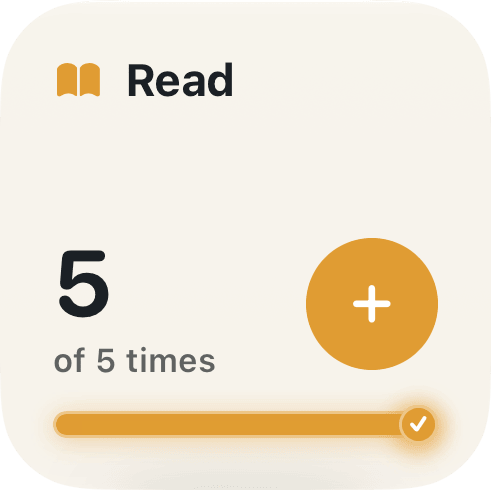
Health goals update on their own. For your own goals, tap + in the app or on the widget. When the week ends, it’s saved to your history and a fresh week begins.
The details
What you see in the app.
Progress, with a sense of pace
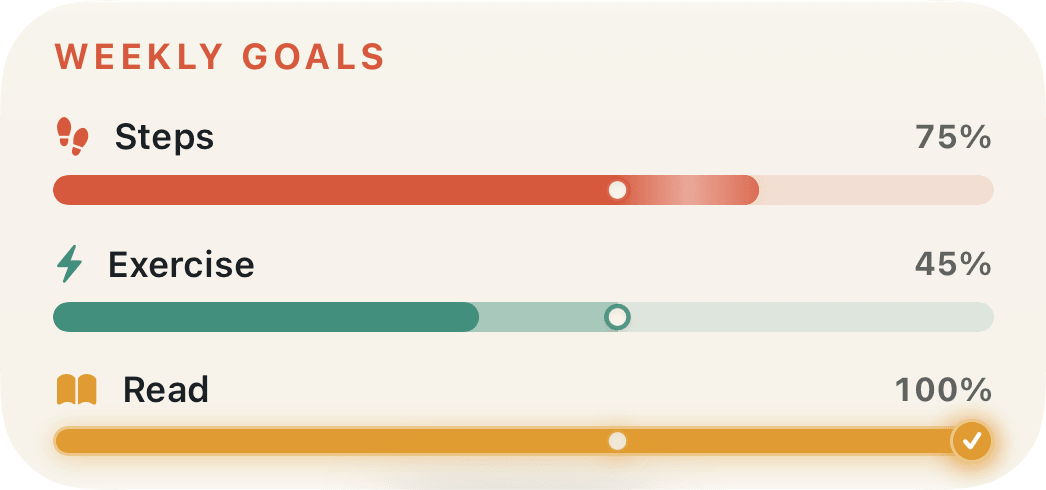
Each goal has a bar for how much you’ve done and a small dot for where you’d be if you spread the work evenly across the week. Bar past the dot: you’re ahead. Bar short of it: there’s still time, and you can see how much.
On Thursday evening, 45% of your exercise goal is a little behind. On Monday it would be a great start. The dot tells you which.
Widgets you can tap
Put your week on the Home Screen or Lock Screen. Custom goals get a widget with a + button, so logging “called family” or “practiced piano” is one tap without opening the app.
A history of your weeks
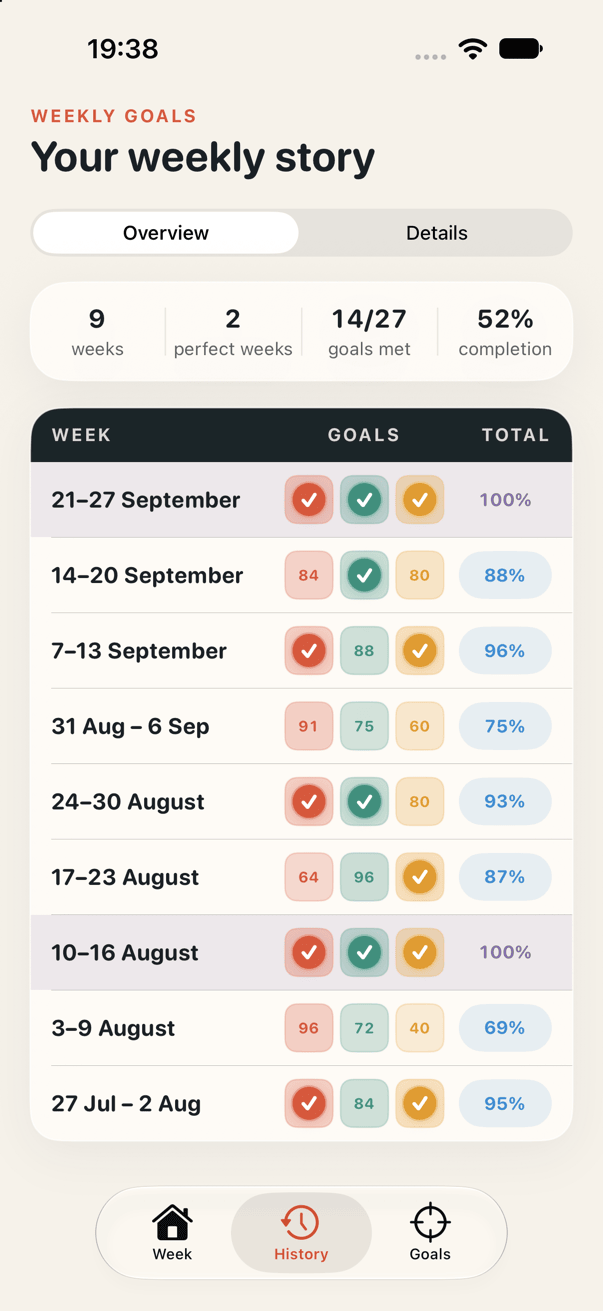
Every finished week is kept with its goals and final results. You can see how many weeks you’ve tracked, how many goals you met, and which weeks were perfect, meaning every goal was reached.
Looking back over a couple of months is more honest than any single day. You’ll notice which goals stick and which targets need adjusting.
What you can track
Health data, or anything else.
These goals read from Apple Health, so data from your iPhone, Apple Watch, and other connected apps all counts:
- Steps all steps across the week
- Active energy energy burned while moving
- Workouts any workouts you complete
- Workout time time spent in workouts
- Exercise brisk activity and exercise
- Distance walking and running
- Move time minutes spent actively moving
- Stand hours hours with a minute of standing
- Mindful time time set aside to reset
- Sleep total time asleep
- Water water logged during the week
- Custom goal anything you count yourself: reading, calling family, practicing, cooking at home
Custom goals don’t need Apple Health at all.
Privacy
Your data stays on your device.
- No account, no sign-up.
- Goals and history are stored on your iPhone or iPad and are never sent to us.
- The app only reads the Health data your goals need, and never writes to Apple Health.
- No ads, no tracking, nothing sold. Only anonymous usage stats to help improve the app.
Available for iPhone and iPad.